This week
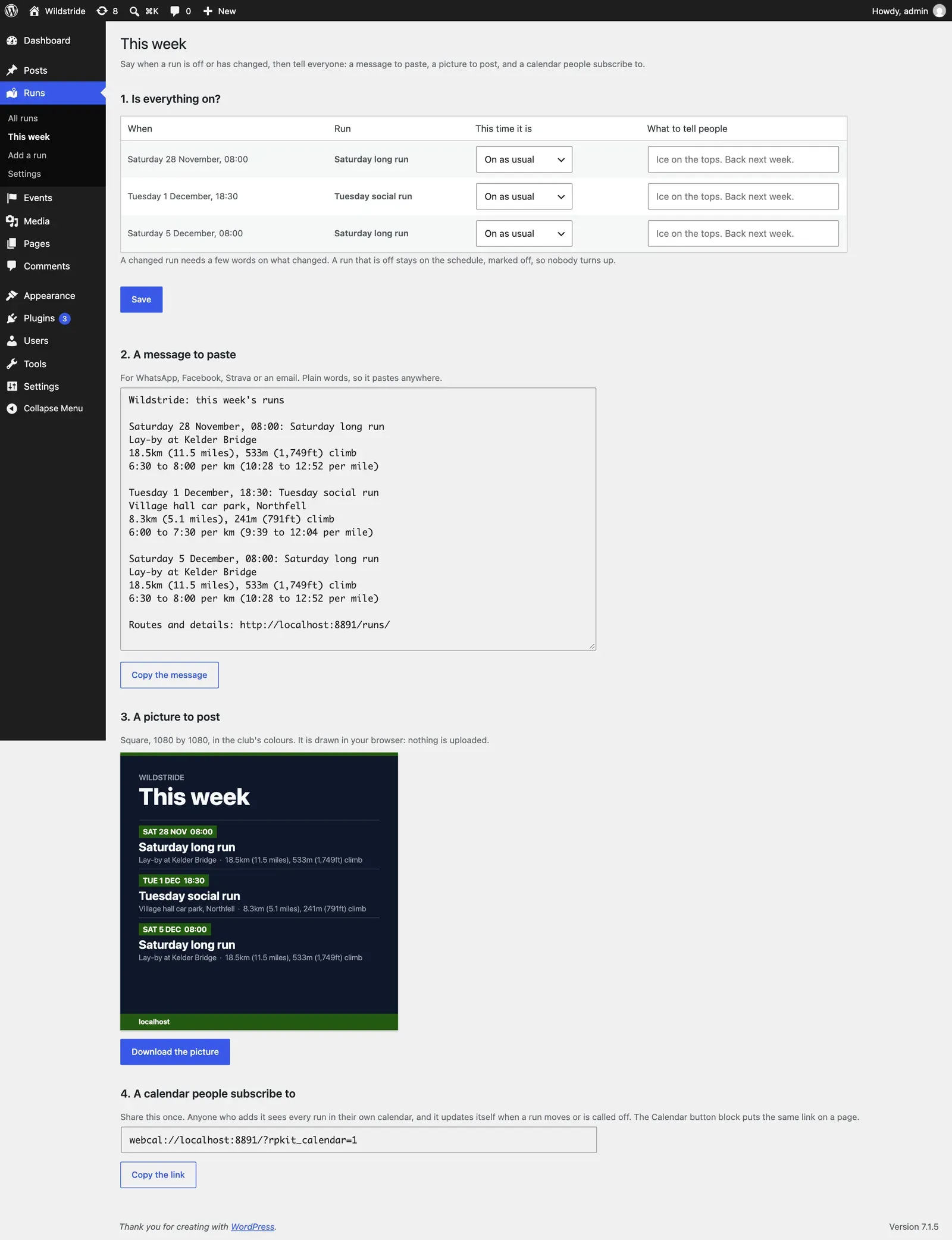
Most of running a club is typing the same news into five places. Runs → This week is one screen for it: say a run is off or has changed, and the schedule, a message for the group chat, a square picture and the calendar feed all carry it.
1. Is everything on?
Section titled “1. Is everything on?”The screen lists the runs coming up this week. For each one, under This time it is:
- On as usual: nothing to do.
- On, but changed: type what changed in What to tell people, such as “Meeting at the school gate, the car park is closed.”
- Off: add a few words on why, such as “Off: the fell race is on the same morning.”
Press Save. A run that’s off stays on the schedule, marked off, so nobody turns up. The change applies to that date only: next week the run is back to normal.
2. A message to paste
Section titled “2. A message to paste”The screen writes a plain message with the week’s runs and any changes, for WhatsApp, Facebook, Strava or an email. Press Copy the message and paste it in.
3. A picture to post
Section titled “3. A picture to post”A square picture of the week’s runs, 1080 by 1080, in the club’s colours. Press Download the picture. It’s drawn in your browser, so nothing is uploaded anywhere.

4. A calendar people subscribe to
Section titled “4. A calendar people subscribe to”The last section has the calendar feed’s link. Share it once with Copy the link. See Calendar feed.
Off for good, or off one week?
Section titled “Off for good, or off one week?”- One week, decided late: This week.
- A week you already know about, such as Christmas: add it to Dates it is not on in the run’s Run details box, and it never appears.
- The run has stopped: give it a Last date, or move it to draft.