The aftermath
Once the weekend’s over, the event page becomes a record of it: starters and finishers, links to the results, photos, films, a runner’s quote and a few numbers. Results are linked, not retyped into tables: a PDF, a spreadsheet or the timing company’s page.
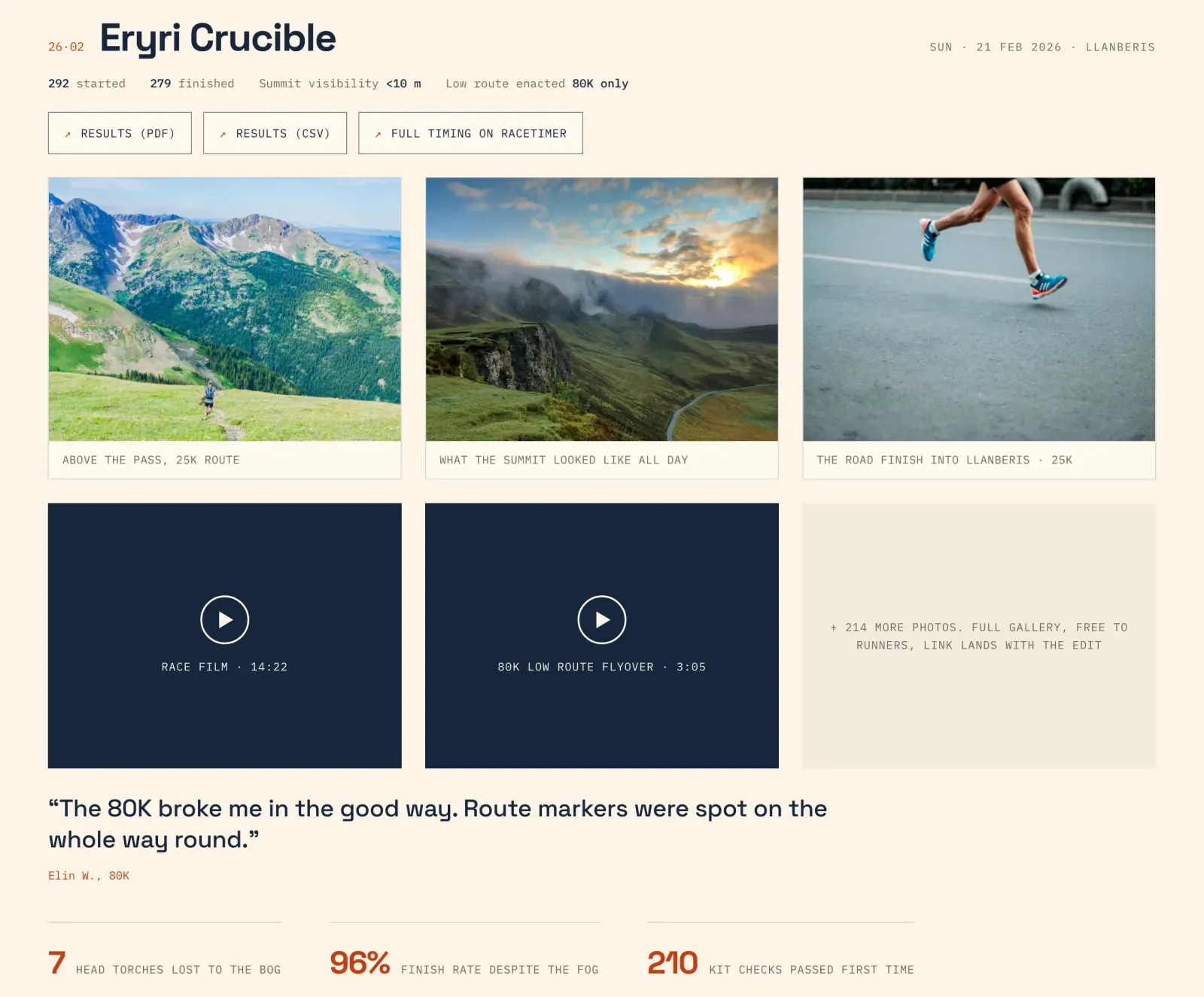
Filling it in
Section titled “Filling it in”Open the event and scroll to the Aftermath box.
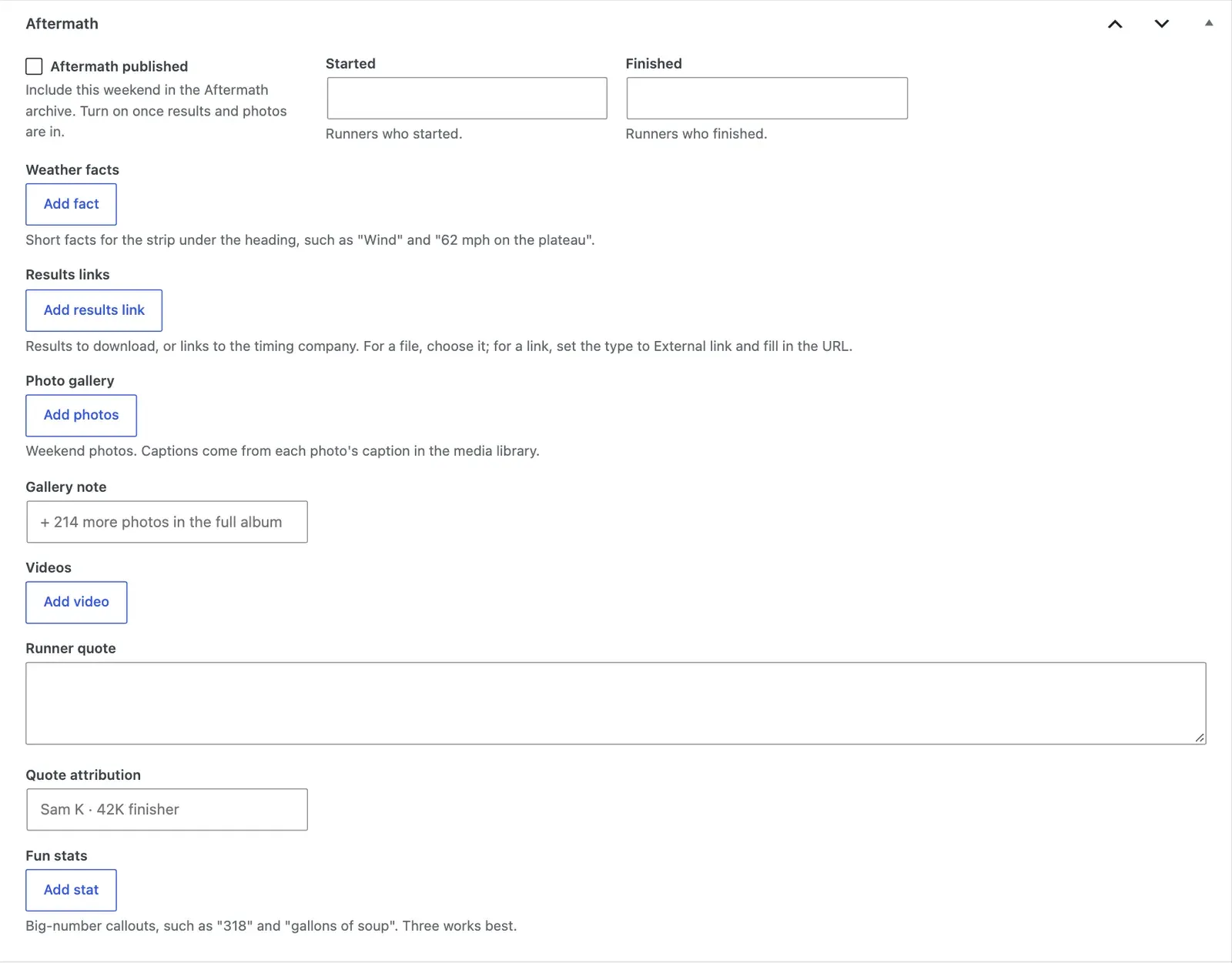
| Field | Notes |
|---|---|
| Started, Finished | How many runners. |
| Weather facts | Short facts for the strip under the heading: a Label and a Value, such as “Wind” and “62 mph on the plateau”. |
| Results links | Each with a label. For a file, choose it; for the timing company’s page, set the type to External link and fill in the URL. |
| Photo gallery | Weekend photos. Captions come from each photo’s caption in the media library. |
| Gallery note | Such as “+ 214 more photos in the full album”, with the link in the words. |
| Videos | A title, the duration and the URL for each film. |
| Runner quote, Quote attribution | One line from someone who ran it. Ask first. |
| Fun stats | Big-number callouts, such as “318” and “gallons of soup”. Three works best. |
When the results and photos are in, tick Aftermath published and update the event.
Where it shows
Section titled “Where it shows”- On the event’s own page, with the Aftermath section block (already there in the RacerPacer theme).
- On a results page, with the Aftermath archive block: every published aftermath, newest first, with a jump-to-weekend select.
- On the home page, with the Aftermath scroll block: a dark band of recent weekends, one photo, quote and number each.

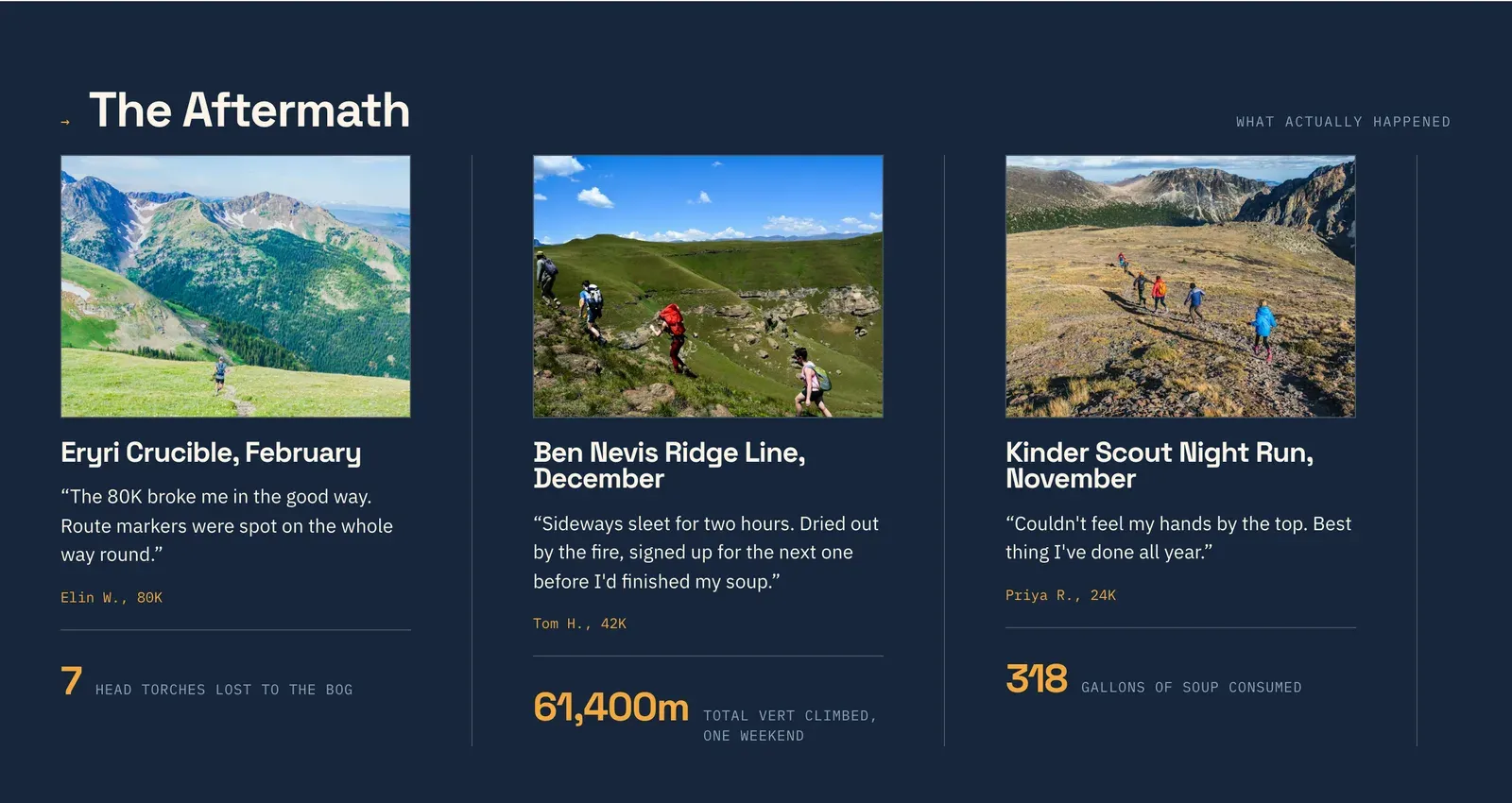
See it on Wildstride’s Aftermath page.